
It happened to me at 2 AM—my baby stirred, I reached for the monitor, and… nothing. Just a black screen. My VTech baby monitor night vision stopped working out of nowhere. During the day, it was crystal clear. But at night? Total darkness. I panicked for a second—do I need a new one? Do I even need a monitor if my baby sleeps in the same room?
After some trial and error (and one YouTube rabbit hole), I figured out the real fix—and it wasn’t expensive or techy. In this guide, I’ll walk you through everything that worked for me, what to avoid, and when to stop using a baby monitor at night altogether. Whether you’re a new parent or dealing with baby monitor anxiety, you’ll find honest, simple solutions here. Let’s fix this fast.
Why Did Your VTech Baby Monitor Night Vision Stop Working?
Infrared LEDs May Have Worn Out
Night vision on baby monitors works using infrared LEDs—tiny lights you can’t see, but your monitor can. These LEDs glow in the dark (invisibly to us) and help the camera “see” when the room is dark. If your VTech baby monitor night vision stopped working, there’s a good chance these infrared lights have simply worn out.

A quick way to check? Turn on the monitor in a completely dark room, then look at the camera lens through your phone’s camera. If the infrared LEDs are working, you’ll often see faint red dots glowing. If not, they may be dead. Just like a flashlight that slowly fades, IR lights lose power over time. It’s one of the most common reasons night vision fails—especially after months of nightly use.
Snippet-ready insight: If your VTech baby monitor shows a black screen in the dark, worn-out infrared LEDs are likely the culprit.
Light Sources in the Room
Here’s something I didn’t expect: having too much light can also break night vision—but not in the way you’d think. Night vision kicks in automatically when the camera senses darkness. But if your room has a soft nightlight, a glowing humidifier, or even LED toys, the monitor might get confused. It won’t switch to infrared mode and will just show a very dim or black screen instead.
Some VTech models also allow you to manually control night vision. If that setting was changed accidentally, the night mode may not trigger at all. Check the settings menu and make sure it’s set to “Auto” or “On.” It took me two nights and a lot of head-scratching before I realized a nightlight was to blame.
Snippet-ready insight: If night vision isn’t turning on, try removing all light sources and check if your settings are on “Auto” mode.
Firmware Glitch or Power Supply Issue
Sometimes, it’s not the camera—it’s the brain behind it. A firmware glitch or sudden power surge can cause the monitor’s night vision to freeze or shut off. In my case, the parent unit worked fine during the day. But at night, it stopped switching modes. No errors, no warning.
Resetting both the parent and baby units (by unplugging and restarting them) often fixes this. Also, if your monitor runs on battery, try switching to direct corded electric power. And don’t forget to check the connectivity protocol—poor signal or interference can delay the switch to night mode.
Snippet-ready insight: Glitches or low power can stop your monitor’s night vision—try restarting both units and use corded power if possible.
Learn more about EMF exposure from baby monitors from Healthline
How to Fix Night Vision on VTech Baby Monitors (Step-by-Step)
Fixing your VTech baby monitor night vision might sound techy, but it doesn’t have to be. These steps are simple, quick, and most importantly—they actually work. Try them one by one, and you might be surprised how something small (like a toy light) can be the whole problem.
Step 1 – Eliminate All Light in the Room
Night vision only kicks in when the camera senses complete darkness. If your baby’s room has a nightlight, a blinking toy, or even a light-up humidifier, the camera might get confused and refuse to activate infrared mode.
Turn off every light source—even the tiny ones. I once found out a glowing baby thermometer was enough to stop my night vision from turning on.
Quick Fix: Make the room pitch black and see if the monitor automatically switches to infrared night mode.

Step 2 – Manually Enable Night Vision
Sometimes, settings change without us realizing it—especially after a firmware update or if someone else used the monitor. Go into the Menu > Camera Settings > Night Vision, and make sure it’s set to Auto or On.
Auto is best if lighting changes, but try switching to “On” if the room is consistently dark.
Short answer: If night vision won’t turn on, check your settings menu and manually set it to On or Auto. Refer to your baby monitor’s official manual for exact instructions.
Step 3 – Adjust Brightness
Too much screen brightness can mess with contrast, making the night vision look worse than it is. It may appear like the screen is black, even when it’s not.
I recommend keeping your brightness around 60–70%. It’s bright enough to see clearly but not too harsh on your eyes during those midnight wake-ups.
Try this: Lower the brightness slightly and check if night vision detail improves—it’s an easy win.
Step 4 – Power Cycle Both Units
A quick reset can fix more than you’d think. Unplug both the baby unit and the parent unit. Leave them off for about 60 seconds, then power them back on. If your monitor has a rechargeable battery, unplug it from power too.
This can clear up random glitches, especially if the monitor had a signal drop or power hiccup.
Helpful tip: Restarting both units resets their connectivity protocol—great for fixing stuck night vision modes.
Step 5 – Factory Reset the Parent Unit
If nothing else has worked, go for a full factory reset. This will erase custom settings but often revives features that just… stopped working.
Here’s the key combo for most VTech models:
Menu > Select > Up > Down > Down > Up, then hit Confirm when prompted.
Be sure to re-pair the camera after the reset.
Important: A factory reset clears glitches, corrupted settings, and miscommunication between camera and parent units.
Step 6 – Add External IR Illuminator (If All Else Fails)
Still no luck? Your infrared LEDs may be completely dead—and replacing them inside the camera isn’t easy or recommended. Instead, try an external IR illuminator. It’s a small, plug-in light that gives off invisible infrared light, just like what your monitor needs to see in the dark.
It’s what finally worked for me after I’d tried everything else. Just place the IR light on a shelf or wall away from your baby’s crib, plug it in, and you’re good to go.
Budget tip: External IR lights are cheap and easy to find—and they’re fully compatible with most VTech monitors using MPEG-4 video format and 720p resolution.

Bonus Tip: Check Power Source and Compatibility
If you’re using wireless mode, try switching to a corded electric power source temporarily. Weak battery power sometimes limits infrared strength. Also, confirm your monitor is compatible with features like 2-way audio, PTZ technology, or external accessories—some older models may lack these functions.
Quick check: Power and compatibility issues often show up as night vision failure—go wired if possible and verify your model’s features.
Baby Monitor FAQs You Should Know
Sometimes, fixing the night vision leads to even bigger parenting questions. Like—do I still need this monitor at all? Or is it just feeding my anxiety? I asked myself all these when my VTech started acting up at 2 AM. If you’re wondering the same, these answers might help.
When Should You Stop Using a Baby Monitor at Night?
There’s no exact age that works for every baby or every parent. But most experts (and tired moms like me) agree that somewhere between 12 and 18 months is when many parents stop using monitors overnight—especially if their toddler sleeps through the night in a safe crib.
That said, it depends on your layout. If your baby’s room is far from yours or you’re a heavy sleeper, you might keep it longer. I stopped around 15 months when my baby started crib talk at night, and the constant updates became more distracting than helpful.
Quick answer: Many parents stop using baby monitors at night between 12–18 months, especially once sleep becomes more consistent.
Do I Need a Baby Monitor If Baby Sleeps in My Room?
Great question—and one I wrestled with for months. If your baby is co-sleeping or their crib is right next to your bed, a monitor might seem unnecessary. But if you’re a deep sleeper (like my husband) or struggle with anxiety, a monitor with audio and motion alerts can actually give peace of mind.
That said, don’t rely on it too much. Over-checking can lead to sleep loss and baby monitor anxiety. If you’re waking up more for the monitor than your baby, it might be time to take a break.
Simple takeaway: If your baby sleeps in your room, you may not need a monitor—but it can help for naps or anxious nights.
Do You Need a Baby Monitor for Newborns?
I thought I wouldn’t need one right away. But within the first week, I realized how useful it was—especially during naps when I stepped out to shower, cook, or just sit in silence for five minutes.
Some monitors offer two-way communication, so I could soothe my baby with my voice before running back. Others even show the room temperature, which helped during our first winter together.
Best use: A baby monitor is helpful for newborns during naps or brief separations, even if you room-share at night.
Can Baby Monitors Cause Anxiety?
Honestly? Yes. While monitors offer peace of mind, they can also make you feel like you’re always on. I’ve had nights where I’d wake up just to stare at the screen, even though my baby was sleeping peacefully. That’s classic baby monitor anxiety.
To cope, I set volume limits and started turning off the monitor once I knew my baby was safe and asleep. You could also try mindfulness apps or talk to a therapist if it feels overwhelming.
Gentle reminder: It’s okay to step away from the screen—constant monitoring can increase anxiety instead of easing it.Do Baby Monitors Cause Anxiety?Worried about EMF exposure from monitors? Here’s what every parent should know.
What to Look for in a Baby Monitor (If You’re Replacing One)
If your VTech monitor’s night vision is truly beyond saving (been there!), you might be wondering—what should I look for in a new one? Don’t worry, I’ve been down that road, confused by specs, acronyms, and flashy features I didn’t even need. Here’s what actually matters when choosing a monitor you can trust. Thinking outside the box? Check out how a Ring camera compares to traditional baby monitors.
Night Vision Clarity
Let’s start with the obvious. If night vision is why you’re upgrading, make it your top priority. Not all night vision is created equal—some show a crisp grayscale image, while others look like foggy VHS tapes from the 90s.
Quick tip: Look for monitors with infrared night vision and at least 720p video capture resolution. Bonus if the brand mentions low-light clarity or IR strength in the specs.
Smartphone Compatibility
If you’re like me and don’t want to carry the parent unit around the house, smartphone access is a lifesaver. Many newer monitors let you stream video through an app—so you can check in while cooking or even on a grocery run (guilty).
AEO-ready answer: Choose a monitor that works with your smartphone for remote access and real-time alerts when you’re away from home.
Number of Channels and Cameras
This one’s a must if you plan to monitor multiple kids, rooms, or angles. Some baby monitors come with multiple channels or allow you to add more cameras later. I didn’t think I needed it—until baby #2 came along.
Simple fix: Get a model with at least 2 channels if you might expand your setup later. It saves money and stress down the line.
Weight and Dimensions
This part gets overlooked, but it matters more than you’d think. A bulky camera can be hard to wall-mount. And if the parent unit is heavy, you won’t want to keep it in your pocket. Trust me—I once dropped mine straight into my coffee mug!
Pro tip: Choose a lightweight parent unit that fits your lifestyle. Check weight and dimensions before buying.
Installation Type: Wall-Mount or Freestanding?
Depending on your nursery setup, installation style can make a huge difference. I started with a freestanding unit but later switched to a wall-mounted one when my baby started pulling everything down.
Fast takeaway: Go with a model that gives you both options—freestanding for flexibility and wall-mount for safety and better angles.

Water Resistance for Humid Rooms
If you live somewhere humid (hello, Southern summers!) or keep a humidifier running all night, make sure your monitor can handle it. Some models are made for indoor security and can survive a little moisture.
Short answer: Look for a water resistance rating if you use humidifiers or live in damp climates—it helps your monitor last longer.
Real-Life Fix That Worked for Me
Let me tell you—after trying every trick in the book, I was ready to toss my VTech monitor in the junk drawer. I had reset it, dimmed the lights, adjusted every setting twice… still nothing. But then I stumbled across something totally unexpected on a parenting forum: an external infrared illuminator.
At first, I wasn’t convinced. It sounded like some high-tech gadget you’d need a manual for. But I found one on Amazon for under $20 and thought, “Why not?” It turned out to be the one fix that actually worked.
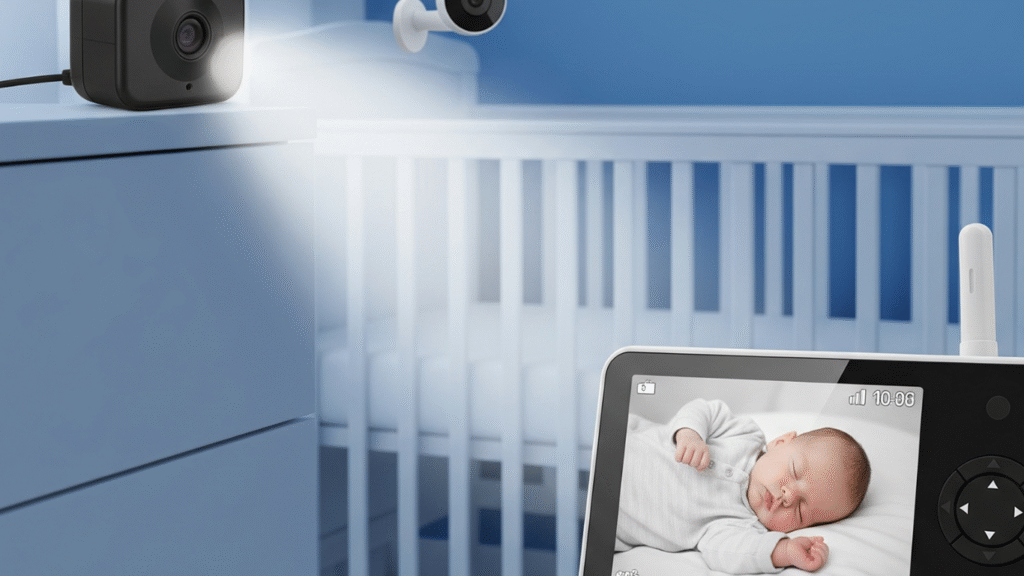
Quick answer: If your monitor’s night vision still doesn’t work, try adding an external IR illuminator—it’s an easy, affordable solution.
I placed it on a nearby shelf (far from the crib for safety), plugged it in, and turned off all other lights. The difference was like night and day—literally. The monitor that once showed only darkness now displayed a clear grayscale image of my baby sleeping soundly. It wasn’t even a VTech-branded accessory, but it worked like magic.
Real fix, real results: My VTech monitor had completely lost its night vision—adding an external IR light brought it back instantly.
If you’re wondering what to get, look for an IR floodlight that supports indoor use and emits invisible light (850nm wavelength is common). Just make sure it doesn’t shine directly at your baby’s face. Most work great with monitors that use MPEG-4 video and at least 720p resolution, like many VTech models do.
Short takeaway: You don’t need to replace the whole monitor. An external infrared light might be the budget-friendly fix you didn’t know you needed.
Honestly, this one small change saved me the cost—and stress—of buying a new baby monitor. And if you’ve already tried resetting and tweaking every setting like I did, it might be the fix you’ve been hoping for.
FAQs
Q1: Why is my VTech baby monitor night vision not working?
Short answer: Your VTech monitor’s night vision might stop working due to worn-out infrared LEDs, too much light in the room, or a setting that got changed.
This happened to me out of nowhere—one night, the screen just stayed black. After checking everything, I found out my monitor’s infrared lights weren’t turning on. Turns out, a soft-glow humidifier was confusing the camera, so it didn’t switch to night mode. I also checked the settings and realized it had flipped from “Auto” to “Off.”
Quick fix: Make the room pitch black, check for faint red dots through your phone camera (to test IR), and double-check that night vision is set to “Auto” or “On.”
Q2: Can I fix VTech night vision without buying a new monitor?
Short answer: Yes—you can fix it by resetting the units, adjusting settings, or using an external infrared light.
I almost gave up and started browsing for a new monitor at 3 AM. But after doing a full reset and adding a cheap plug-in IR illuminator, it worked like magic. You don’t need tech skills or fancy gear—just patience and the right fix.
Try this first: Reset both units, remove light sources, set night vision to “Auto,” and if nothing else works, use an external IR light (mine cost under $20 on Amazon).
Q3: Do I need a baby monitor if I co-sleep with my baby?
Short answer: Not always. If your baby sleeps right beside you, you may not need a monitor—but it can still be helpful for naps or peace of mind.
When we room-shared in the early weeks, I rarely used the monitor overnight. But during the day, I used it all the time—for naps, showers, or when I just needed a break. Some days, just hearing those soft baby sounds from the next room made all the difference.
Helpful insight: If you’re a light sleeper, you might not need one. But if you’re prone to anxiety (like me), a monitor can ease your nerves during solo moments.
Q4: Can baby monitors cause anxiety?
Short answer: Yes, they can—especially if you find yourself staring at the screen more than sleeping.
I’ve been there. I used to wake up just to check if my baby was breathing—even when everything was quiet. That constant urge to peek at the monitor kept me on edge. Eventually, I set screen-time limits and turned down the volume unless I truly needed it.
Gentle tip: If your monitor is stressing you out, it’s okay to turn it off sometimes. Trust your instincts, and remember—your rest matters too.
Q5: When should I stop using a baby monitor at night?
Short answer: Most parents stop using monitors between 12–18 months, once their toddler sleeps through the night safely.
For me, it was around 15 months—when my baby started chatting to herself in the crib. The constant sounds started keeping me awake more than helping me. That’s when I realized: it was time to let go of the monitor and trust the process.
Parent-tested advice: If your child sleeps well, is in a safe space, and your room isn’t too far, it’s okay to stop using the monitor. Follow your gut—and your sleep schedule.
Q6: Do I need a monitor for a newborn?
Short answer: It depends—but they’re very useful during naps and short separations, even if you room-share.
I didn’t think I’d need one right away. But once I stepped out to make dinner and couldn’t hear a thing, I realized how comforting it was to have eyes and ears on my newborn. Especially with features like 2-way audio and temperature alerts.
Newborn tip: Monitors help during naps and when you’re not in the room—even if you co-sleep at night. It’s about peace of mind, not just tech.
Have more questions? Drop them in the comments—I’d love to hear your story or help troubleshoot further. Every baby, every monitor, and every parent is different—and we’re all figuring it out one sleepy night at a time.
Conclusion: Don’t Toss It Yet—Try These Fixes First
Short answer: If your VTech baby monitor night vision stopped working, don’t panic—simple fixes like turning off room lights, adjusting settings, or adding an IR illuminator often solve it.
I know how frustrating it feels. You’re up in the middle of the night, your baby stirs, and suddenly the screen goes black. You think—Is it broken? Do I need a new one? I’ve been there. And I can tell you—more often than not, the solution is easier (and cheaper) than it seems.
The real fix for me was adding a plug-in infrared illuminator. After trying everything—resetting, adjusting settings, making the room pitch black—it was that one $20 gadget that brought the night vision back. No tech degree needed.
Here’s the good news: You likely don’t need to replace your whole monitor. Most night vision issues come down to light interference, infrared LED wear, or a glitch that a quick reset can fix. If you’re still stuck, try an external IR light—it worked wonders for me.
So before you toss your monitor or start shopping for a new one at 3 AM, breathe. Give these fixes a try first. You might save yourself the stress (and a decent chunk of change).
Has this happened to you? I’d love to hear your story. What worked? What didn’t? Drop a comment below—I’m here to help, and so are other tired parents reading this at midnight, just like you.Related Reads You Might Find Helpful are baby monitors safe radiation? [What Every Parent Should Know]
Pingback: Nanit Baby Monitor Vs Infant Optics: My Candid, Hard-Earned Verdict