
That beeping sound from your monitor is a real surprise! It sounds like an alarm and wakes you right up. When my Hello baby monitor beeping began, I was very concerned. I rushed to the baby’s room right away. I have done lots of Hello baby monitor troubleshooting. The good news is the noise is almost always a quick fix. We will look at why your monitor beeps three times. We will also fix issues like having no sound. Soon, you will be back to breathing peacefully.
The Panic Solver: Why Your Hello Baby Monitor Is Beeping
A beep can make your heart jump. I get it. I have run to the crib at night too. But the truth is simple. The beep is not a big risk. It is just a small alert. It tells you what the monitor needs. Once you know the cause, you can fix it fast.
Why Your Monitor Beeps 3 Times
If your Hello Baby monitor beeps 3 times, it means one of three things.
Think of it as a short note from the device. When you know the note, you can fix the beep with ease.
1. Low battery
This is the top cause.
The parent unit has low power. You may see a red, flash icon on the screen.
The fix is easy: plug the unit in. Let it charge.
2. Out of range
This means the link is weak.
The parent unit is too far from the cam.
Walls and large items can block the link.
Check the bars on the screen.
Move the two units close to each other to make the range strong.
3. VOX or cry alert (some models)
Some units beep when they hear a loud cry or sound.
This is due to a sound alert called VOX.
If you do not want this, go to the menu.
Change the level or turn VOX off.

If the Beep Still Comes Back
At times the beep is not a big fault.
It may be a small glitch.
All tech can act strange at times.
Reset the monitor
Turn the cam off.
Turn the parent unit off.
Unplug both.
Wait 30 seconds.
Plug them back in.
Turn them on.
This gives the whole set a clean start.
This small step has fixed the beep for me many times.

No Sound on Your Monitor? Here Is How to Fix It
It feels so odd to see your baby move but hear no sound.
I had the same scare.
My baby was awake and made small sounds, but the unit was still quiet.
Do not fear.
If the picture is clear, the sound issue is often small.
Here is how to fix it fast.
Fix the Parent Unit Sound
Start here.
This is the top cause.
Check the volume.
Make sure the sound is not at zero.
Make sure mute is off.
Tap the “up” key a few times.
One small tap can bring the sound back.
Check the screen icon.
Some units show a sound bar.
Some show a mute sign.
Look for it on the screen.
If you see a mute sign, turn sound on.
Fix the Mic on the Camera Unit
If the sound is still off, the mic may be the cause.
Look at the mic grill.
See if dust is on it.
See if a sticker or small toy covers it.
Even a thin layer can block sound.
Check the talk key.
Make sure the talk key is not stuck.
If it is pressed, your voice is on top.
This will block the baby sound.
Do a hard reset.
Turn both units off.
Unplug both.
Wait 30 seconds.
Plug them in.
Turn them on.
This step can fix the mic link.
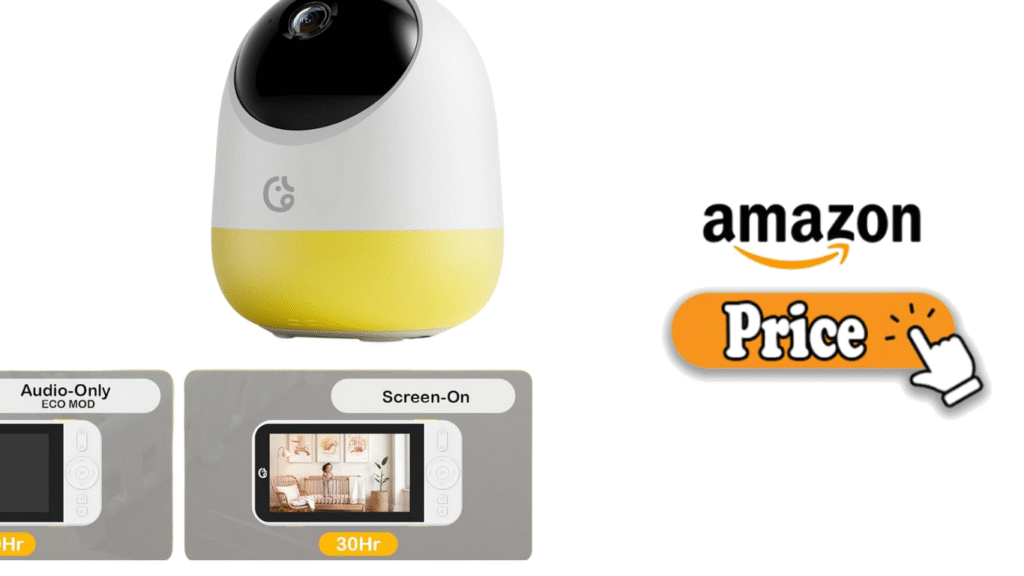
Stay Connected: Camera, Connectivity, and Remote Access
It is hard when your hello baby monitor beeping or losing signal breaks your peace. A weak link can feel like a cut line. A bad signal is common and very annoying. Every home has spots where the signal drops. I found many of these spots in my own home.
Understanding Your Monitor’s Connectivity
Hello Baby sells many monitor types. You need to know your model to fix any link issue fast.
Standard vs WiFi:
Some units use FHSS. This is a closed wireless link. It does not use the internet. It has a long range but does not like thick walls. Other units use WiFi. These let you use Remote Access and the Hello Baby monitor connect to phone feature.
Signal range:
The range you see on the box is the best case. In real homes, walls, floors, and pipes cut the range. If the link is weak, the signal drops. Move the parent unit closer to the room to make the link strong again.
Interference:
Many things can block your signal. A microwave, a cordless phone, or your WiFi router can cause a dip. Try to move your monitor away from big devices. This small step often helps a lot.
Using the Hello Baby Monitor App and Smart Features
Some new units have smart tools. These tools help you see your baby even when you are not home.
Hello Baby Monitor app:
Many older models have no smartphone app. But some new ones do. These let you share the feed with a partner through Multi-user Connection.
Smart Care:
WiFi models can use mobile app control. Some even send Danger Zone Alerts or Smart Motion Detection. These give you a quick view when your baby moves.
Camera Control and Viewing
A clear picture gives you calm.
Camera control:
You can move the monitor camera from the parent unit. You can pan, tilt, or zoom. The tilting up tool helps you check your baby when they roll to the side of the bedside crib.
360 view and zoom:
Many cameras have a 360-degree field of view. You can also use Zoom Plus to see small things, like if your baby is breathing peacefully. This helps you feel safe with one quick look.
More Features You May Like
Once the beeps stop and the link is fine, you can enjoy the good parts.
Hello Baby units have many nice tools.
They also have some weak spots.
Here is a simple list.
Good Things (Pros)
Clear video.
The picture is sharp.
The night view is clear too.
You can see your baby in the dark.
Easy to set up.
The start steps are fast.
The talk key is easy to use.
You can speak to your baby at once.
Use more cams.
You can add more than one cam.
This is great for two kids or two rooms.
Move the view.
You can turn the cam all around.
It can pan.
It can tilt.
It can zoom a bit.
You can see the full room.
Weak Points (Cons)
No app on many units.
Most old units do not have a phone app.
This can feel like a big loss.
No full record tools.
Most units do not record.
Some Wi-Fi ones can record with an SD card.
But many do not save clips.
Few smart tools.
There is no sleep scan tool.
There is no breath or move tool.
It is simple.
It is not a high tech cam.
Use It With Safe Sleep Rules
A monitor is a tool.
It will not take the place of safe sleep.
Peace of mind.
You can look at your baby in the cot.
You can check their breath with one quick look.
This helps you feel calm.
Not a sound machine.
The unit is for watch and hear.
It will not help with sleep sounds.
Use a real sound aid if you need one.
FAQ: Quick Answers to Common Queries
How do I turn the sound on my Hello baby monitor?
- Find the volume buttons on the side of the parent unit. Press the volume up button many times to make sure it is not on Volume and mute. Check the Parent Unit Display for the speaker icon.
How long is the Battery Life (display on)?
- The Battery Life (display on) varies by model. Most Hello Baby monitors last about 4 to 8 hours with the screen on. This time gets longer if the screen is off and only the sound is on.
How do I manually toggle between multiple cameras?
You need to press the camera select button on the side of the parent unit. This button lets you toggle between the different linked cameras. Look for a small camera icon on the unit.
What do I do if my WiFi connectivity is poor?
- If your WiFi connectivity is poor, first move the camera closer to the router. Next, try a full Reset the monitor. If it is a Wi-Fi model, you may need to check the settings in the Hello Baby Monitor app.
How do I get a Hello Baby Monitor replacement?
- If your unit is still under warranty, you need to Contact support for help. They offer Outstanding After-sales Service and can help with a Hello Baby Monitor replacement.
Conclusion: Peace of Mind Restored
You did it! Now you know how to stop that scary beeping sound and fix the common problems with your monitor. The Hello Baby Monitor is a cute and functional helper that does its job well. By knowing the simple fixes, you can enjoy watching your baby sleeping and breathing peacefully. This monitor is a great way to stay connected to your little one.